Experimental setup
We established several experiments for training and benchmarking our models, including the Oxford pet experiment and the histology images experiment.
Oxford III Pet
Our first experiment was elaborated on the Oxford-IIIT Pet Dataset. This dataset contains 37 classes of pets, with around 200 images per class. The dataset is divided into a training set and a test set. The training set contains 3680 images, and the test set contains 3669 images. The images are of different sizes and aspect ratios. The dataset is available at the following link: https://www.robots.ox.ac.uk/~vgg/data/pets/
In particular, we used an implementation of this dataset in a simplified and easily retriable format, available at the following link:
https://github.com/UN-GCPDS/python-gcpds.image_segmentation
Scorers emulation
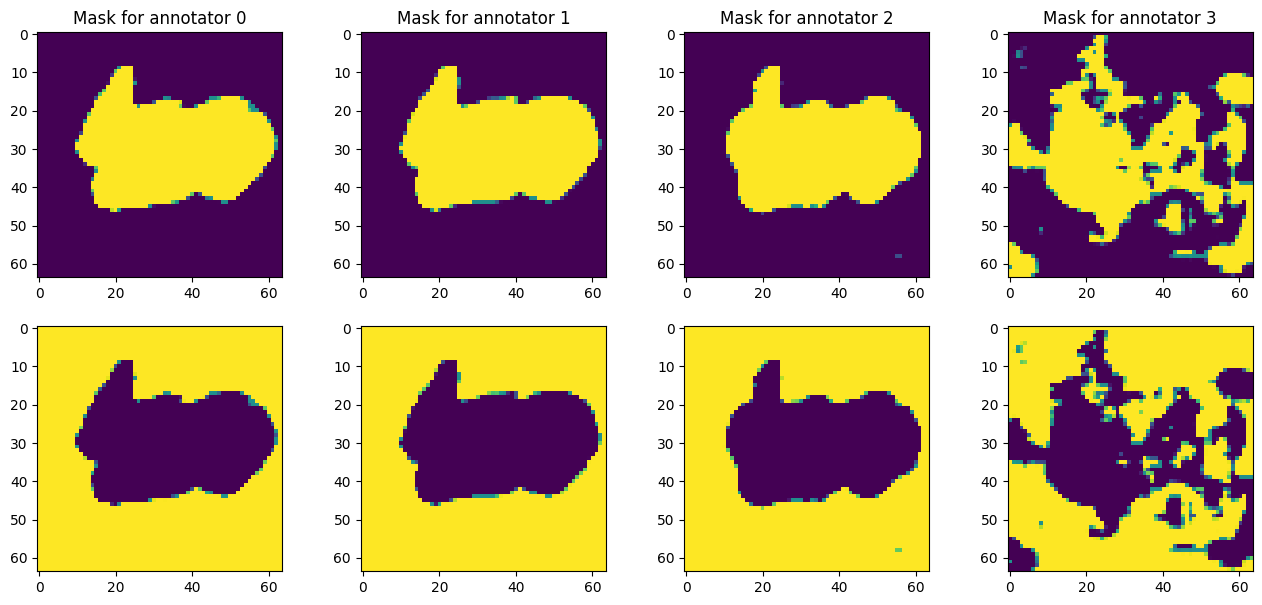
On itself, the Oxford-IIIT Pet dataset contains the masks which reffer to the ground truth and not to labels from different annotators, which makes this dataset non suitable for the original intention of the project. However, we used this dataset to emulate the scorers’ behavior, by training previously a model with a simple UNet architecture and then using this model to predict for being disturbed in the last encoder layer for producing scorers with different lebels of agreement.
Crowd Seg Histopatological images
Our second experiment was elaborated on the CrowdSeg dataset, which consists of Triple Negative Breast Cancer images labeled by 20 medical students.
This dataset fairly represents the original intention of the project, which is to provide a tool for pathologists to segment histopathological images.
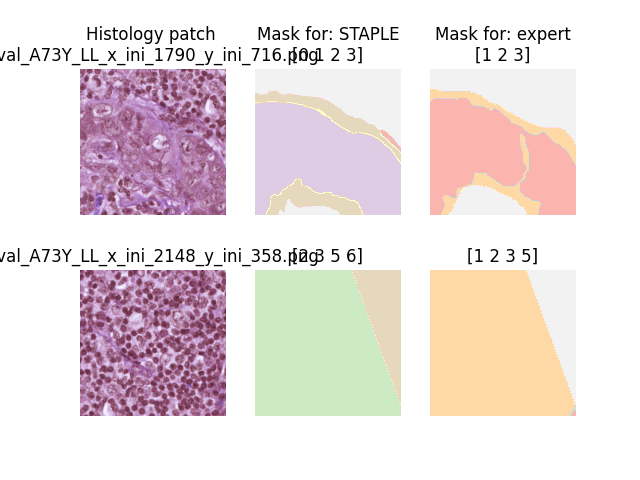
The dataset is conformed by several histology patches of size 512x512 px. Masks labels exits for an expert pathologist and 20 medical students. Every single patch contains label for some scorers as shown in the figure:
Fetching and loading the dataset
You can use the simple API provided by the seg_tgce.data.crowd_seg
for either Fetching all available data or a single stage (train, test of
val).
You can fetch your data simply like this:
from seg_tgce.data.crowd_seg import get_all_data

train, val, test = get_all_data(batch_size=8)
for i in range(1):
   img, mask = val[i]
   print(f"Batch {i}: {img.shape}, {mask.shape}")
Output:
Batch 0: (8, 512, 512, 3), (8, 512, 512, 6, 23)
A single stage can also be fetched, and even visualized:
from seg_tgce.data.crowd_seg import get_stage_data
from seg_tgce.data.crowd_seg.stage import Stage

val = get_stage_data(stage = Stage.VAL, batch_size=8)
val.visualize_sample()
For architecture debugging purposes, you can also fetch the data with a downsampling for trimming scorers and leaving only the ones who scored the most patches:
train = get_stage_data(stage = Stage.TRAIN, batch_size=8, trim_n_scorers=6)
Output:
Loading train data with trimmed scorers...
INFO:seg_tgce.data.crowd_seg.generator:Limiting dataset to only images scored by the top 6 scorers: ['MV', 'STAPLE', 'expert', 'NP6', 'NP10', 'NP3']
Train: 1272 batches, 10176 samples
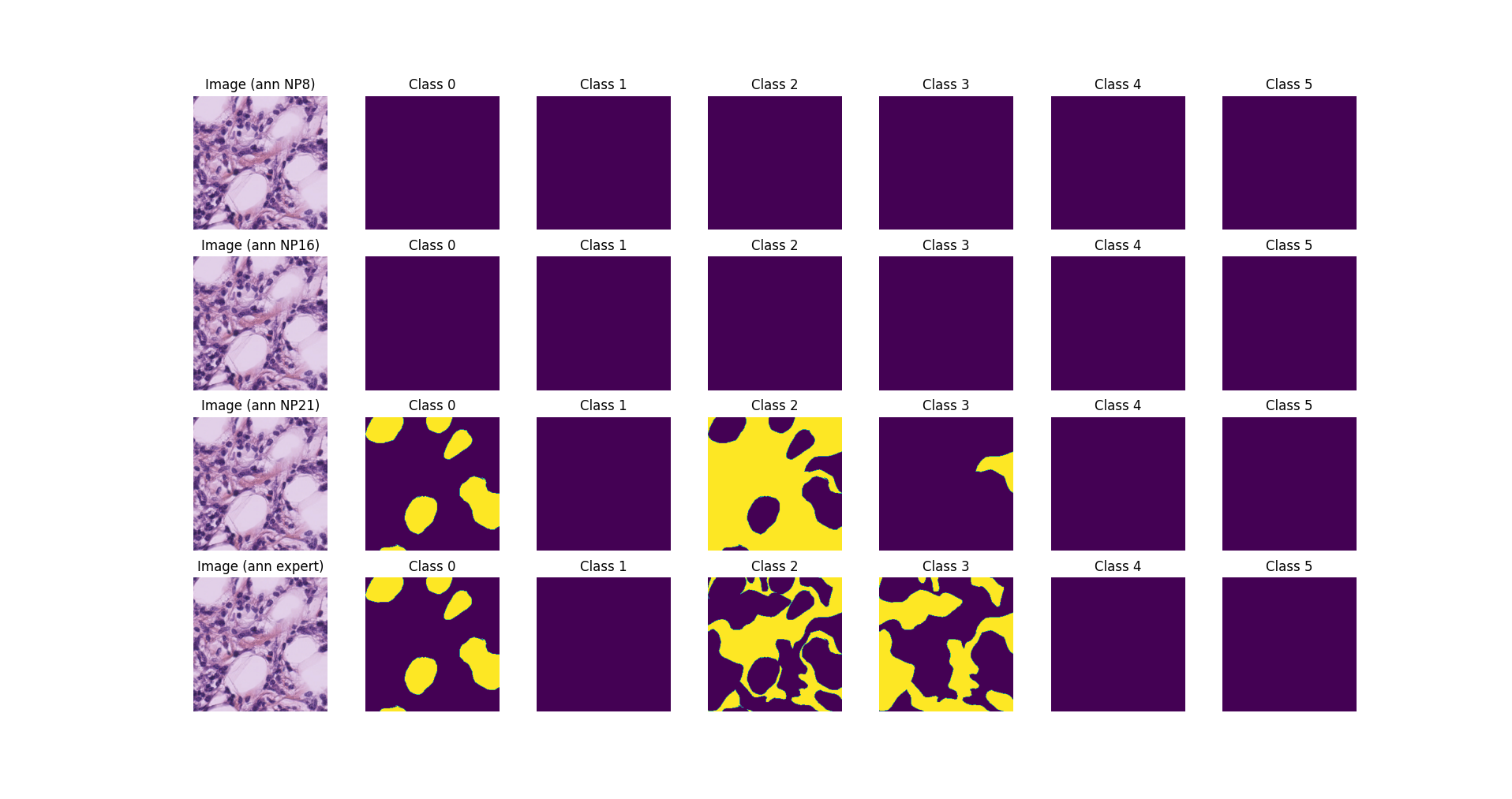
When running the visualize_sample method, the generator will load
the images and masks from the disk and display them, with a result
similar to the following:
Loading the generator itself
You can also instantiate the generator directly, from the class
ImageDataGenerator, which is the same as returned by the
get_all_data and get_stage_data factories:
from seg_tgce.data.crowd_seg.generator import ImageDataGenerator
from seg_tgce.data.crowd_seg.stage import Stage

train_gen = ImageDataGenerator(
   stage=Stage.VAL,
   batch_size=16,
   n_classes=6,
 )
print(f"Train len: {len(train_gen)}")
print(f"Train masks scorers: {train_gen.n_scorers}")
print(f"Train masks scorers tags: {train_gen.scorers_tags}")
val_gen.visualize_sample(
  batch_index=8,
  sample_index=8,
  scorers=["NP8", "NP16", "NP21", "expert"],
)
Note
The ImageDataGenerator class is a subclass of the Keras
Sequence class, which allows us to load the dataset in a lazy
way. On the first instantiation, the generator will download the
dataset in a local directory __data__/crowd_seg, which might take
a while. After that, the generator will load the images and masks on
the fly, as requested by the training loop.